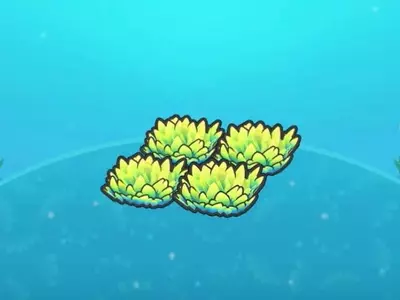
This comprehensive guide explores the unique universal storage system within Pokémon Pokopia, known as Portal Pods. These devices offer unparalleled convenience for managing in-game items, functioning as interconnected repositories regardless of their physical placement. Players can acquire the blueprint for these essential tools by elevating their environment's aesthetic and functional standing in Palette Town, a process that demands dedicated effort. Alternatively, those who possess the Bubbly Basin downloadable content are granted immediate access to a pair of these pods within a specific dwelling, bypassing the initial progression requirements. The article further elaborates on the methods for replicating additional pods using a 3D printer and illustrates their practical applications in streamlining various in-game activities.
The journey to obtaining a Portal Pod blueprint in Pokémon Pokopia involves dedicated engagement with the game's environment management mechanics. Players must diligently enhance the Environment Level of Palette Town, a central hub within the game. Current observations suggest that achieving Environment Level 10 is the critical threshold for unlocking this valuable recipe. Without reaching this specific level, the option to craft Portal Pods will not appear in the available recipes. This mechanism encourages players to actively develop their surroundings and invest time in improving the overall quality of Palette Town, rewarding their efforts with access to this pivotal storage solution.
For players who have expanded their Pokémon Pokopia experience with the Bubbly Basin DLC, an expedited path to acquiring Portal Pods exists. Upon commencing the DLC content and regaining control of the character Ditto within Popplio's town, two Portal Pods can be located without the need for extensive environmental upgrades. The first pod is situated within a house in the northeastern sector of the map, obstructing a staircase. Descending this staircase, making a left turn, passing through open doors, and then turning left again will reveal a second Portal Pod, conspicuously contained within a distinctive red-and-white Pokéball. This provides a significant advantage, allowing DLC owners to immediately leverage the benefits of universal storage.
Once a Portal Pod is in your possession, either through crafting or discovery, its utility can be multiplied through replication. The in-game camera plays a crucial role in this process. By pressing the Minus button to activate the camera and then pressing Y to switch to reference mode, players can capture a reference image of an existing Portal Pod. This image can then be presented to a 3D printer, typically found within any rebuilt Pokémon Center. To create a replica, five rare Pokémetal units are required. This replication process is indefinitely repeatable, limited only by the availability of rare Pokémetal, allowing players to establish a network of interconnected storage units across their game world.
The true power of Portal Pods lies in their ability to offer synchronized access to stored items from any pod, irrespective of its location. Imagine consolidating all your construction materials into a single Portal Pod left in the desolate Withered Wasteland. As you venture to Bleak Beach, a different Portal Pod you deploy there will instantly provide access to the very same materials. This seamless interchangeability works both ways; any item placed into the Bleak Beach pod will concurrently become available in the Wasteland pod. This creates a dynamically linked storage network, eliminating the need to physically transport items between distant locations and significantly simplifying inventory management.
Beyond basic item retrieval, Portal Pods prove invaluable for intricate projects. Before embarking on a construction endeavor, it is highly recommended to gather all necessary resources and deposit them into a Portal Pod. This strategy effectively condenses your entire material inventory into a single slot, preserving precious inventory space while ensuring all required components are readily accessible. Furthermore, much like conventional storage chests, Portal Pods can be strategically positioned adjacent to crafting benches. This allows the crafting bench to automatically draw needed materials directly from the connected pod, automating resource supply and greatly enhancing the efficiency of crafting operations throughout your Pokémon Pokopia adventures.
In essence, Portal Pods redefine inventory management within Pokémon Pokopia by offering a convenient, interconnected storage solution. Whether obtained through diligent environmental development or via DLC access, these devices, once replicated, enable players to universally access their stored items from any pod. This feature is particularly beneficial for large-scale construction projects and efficient crafting, as materials can be organized and accessed remotely. Their ability to integrate with crafting benches further streamlines resource utilization, making them an indispensable tool for any ambitious player looking to optimize their gameplay experience.